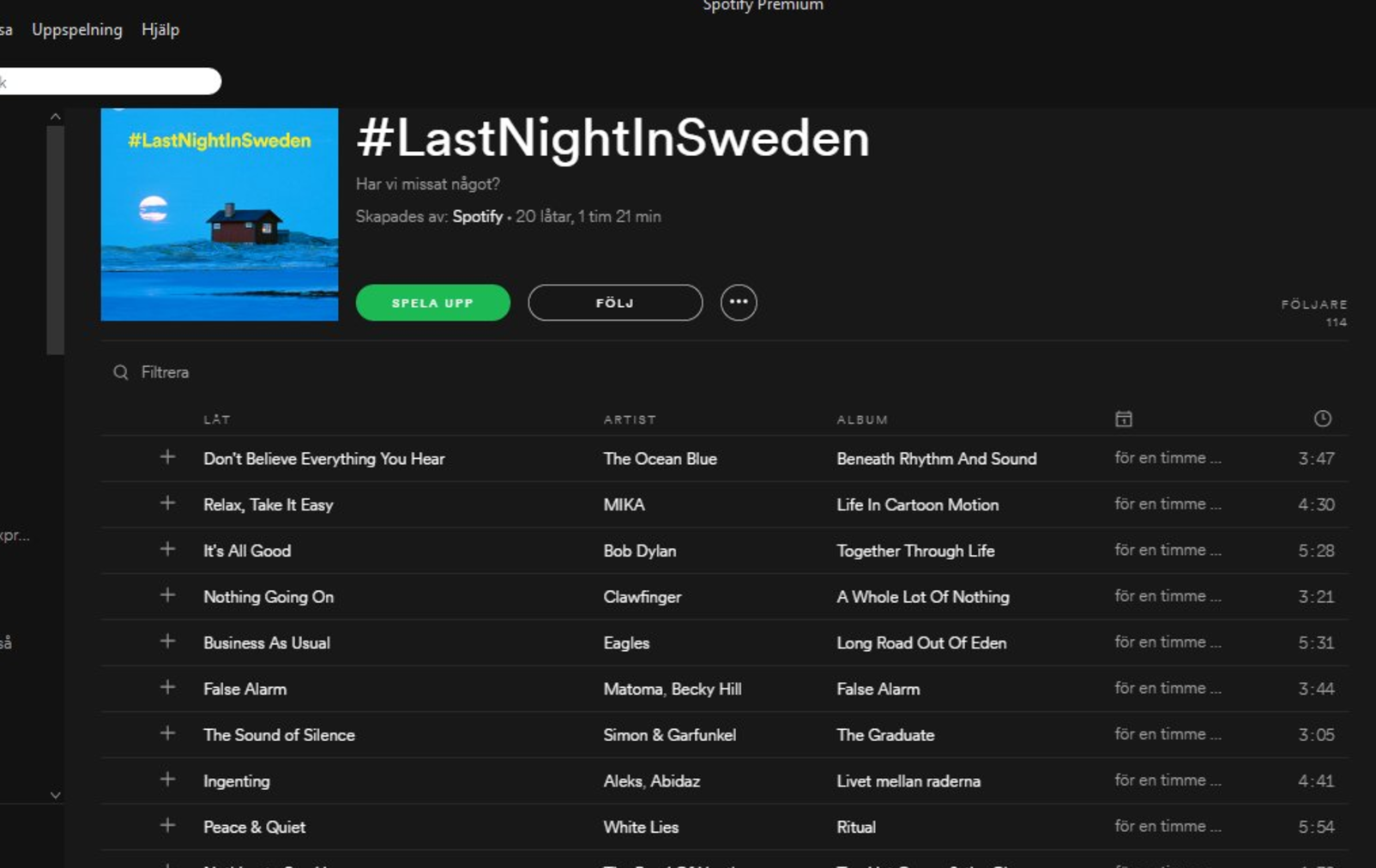
Jonas tipsar – 2010-02-02

Jonas tipsar – 2010-01-28

WordPress shortcodes – enkelt exempel

I WordPress 2.5 introducerades shortcodes men det är nog många som fortfarande inte vet riktigt vad det är och vad man kan använda det till.

Shortcodes tillåter dig exempelvis att skriva [gallery] direkt i ett blogginlägg, och så visas alla bilder som hör till det inlägget som en liten kontaktkarta.
Man kan givetvis definiera egna shortcodes, genom att skriva en funktion i ett plugin eller i functions.php och sen koppla en shortcode till den funktionen.

Exempel 1

function bloginfo_shortcode( $atts ) {
    extract(shortcode_atts(array(
        'key' => '',
    ), $atts));
    return get_bloginfo($key);
}
add_shortcode('bloginfo', 'bloginfo_shortcode');

Funktionen add_shortcode registrerar en ny shortcode, och i exemplet ovan betyder det att om man skriver [bloginfo] i ett inlägg, så kommer funktionen bloginfo_shortcode() att anropas. Just i det här exemplet ska man dessutom skicka med en parameter, det ser ut så här: [bloginfo key=”template_url”]
(Exemplet kommer från Blue Anvil)

Exempel 2

Jag har i ett tidigare inlägg visat hur man kan koppla en spotifylista till en wordpress-post, en metod som jag använder på http://topp30.se.
Jag vill utnyttja det faktum att listorna nu ligger som egna fält, och skapa en sida med alla spotifylistor i en lång (nåja) HTML-lista.
Steg ett är att definiera en funktion som hämtar alla inlägg med ”spotify-fält” och sen generera en lista av dem.
Nästa steg är att koppla en shortcode till den funktionen.

1
2
3
4
5
6
7
8
9
10
11
12
13
14
15
16
17
18
19
20
21
22
23
24
25
26
27
28
29
30
31
32
33
34
35
36
37
38
39
40
// [spotifylist] - shortcode function
function spotify_sc_func($atts) {
   ob_start();
?>
   <ul id="spotifylist">
   <?php
   global $wpdb, $post;
   $querystr = "
    SELECT wposts.* 
    FROM $wpdb->posts wposts, $wpdb->postmeta wpostmeta
    WHERE wposts.ID = wpostmeta.post_id 
    AND wpostmeta.meta_key = 'spotify' 
    AND wposts.post_status = 'publish' 
    AND wposts.post_date < NOW() 
    ORDER BY wposts.post_type, wposts.post_date DESC
    ";
 
   $pageposts = $wpdb->get_results($querystr, OBJECT);
?>
   <?php if ($pageposts): ?>
      <?php foreach ($pageposts as $post): ?>
         <?php setup_postdata($post); ?>
	 <?php $spotify = get_post_custom_values("spotify"); ?>
         <li><?php echo the_title(); ?>: <a href='<?php echo $spotify[0]; ?>'>spotify</a> | <a href="<?php the_permalink(); ?>">text</a></li>
      <?php endforeach; ?>
 
   <?php else : ?>
      <h2 class="center">Not Found</h2>
      <p class="center">Sorry, but you are looking for something that isn't here.</p>
   <?php endif; ?>
 
 
   </ul>
   <?php
   $output = ob_get_contents();
   ob_end_clean();
   return $output;
}
 
add_shortcode('spotifylist', 'spotify_sc_func');

Nu återstår bara att skapa en sida som använder vår nya shortcode.

Och resultatet ser blir det här

Läs också Mastering WordPress Shortcodes på Smashing Magazine.

Jonas tipsar – 2010-01-13

Automatisk spotifylänk i WordPress

På sajten http://topp30.se listar jag och en del vänner och bekanta varje år våra favoritlåtar. Vi har sysslat med detta något nördiga listande i drygt tio år. Förra året började några av oss att bifoga listan i spotify-form, och inte bara text. I år har nästan alla 20 en spotifylista för sin årslista.

Länken till spotifylistan finns i varje inlägg som en vanlig textlänk, men den ligger ofta på olika ställen, har olika ankartext och kan vara lite svår att hitta. Därför la jag till en genererad spotifylänk som alltid hamnar på samma ställe, uppe till höger i varje inlägg. Lättare att hitta, mer konsekvent.

Detta kan man åstadkomma genom att lägga spotifylänken som ett ”eget fält”, ändra i varje template-fil på rätt ställe (index.php/archive.php/search.php etc.) och där läsa in spotify-fältet och visa länken, men det blir opraktiskt att underhålla, lätt att göra fel och lite fult.

En betydligt snyggare lösning är att använda WordPress filterfunktionalitet.

Steg 1:
Lägg spotifylänken som ett ”Eget fält” (för varje inlägg som har en spotifylista).
länk till spotifylista

Steg 2:
Lägg till en funktion (i functions.php), som visar en länkad spotify-logga när det finns en lista tillgänglig.

1
2
3
4
5
6
7
8
9
10
11
12
13
14
15
function spotify_content($content) {
	global $post;
	$meta_key = 'spotify';
	$extra_info = "";
	$spotify_logo = get_bloginfo('template_url') . "/img/spotify.png";
	$meta_value = get_post_meta($post->ID, $meta_key, TRUE);
	if($meta_value != '') {
		$extra_info = <<<EOT
			<div class="spotify-link">
				<a href="$meta_value"><img src="$spotify_logo" alt="Lyssna på låtarna via Spotify" /></a>
			</div>
EOT;
	}
	return $extra_info . $content;
}

Steg 3:
Lägg till ett filter, som anropar spotify_content varje gång WordPress-funktionen the_content anropas. Det är the_content som visar texten i ett blogginlägg så den kommer definitivt att anropas från exempelvis single.php och index.php (det finns undantag, se längre ner)

add_filter( 'the_content', 'spotify_content' );

Steg 4:
Lägg till en css-klass i style.css som lägger din div som du vill ha den. Den allra enklaste varianten blir så här:

1
2
3
.spotify-link {
   float: right;
}

Och det var allt. Resultatet, med en klickbar spotify-logga för varje spotifierat inlägg blir så här:

topp30.se med automatisk spotifylänk

topp30.se med automatisk spotifylänk

Observera att ibland används the_excerpt stället för the_content i mallarna. Det är när man bara vill visa ett utdrag ur inläggen istället för hela texten.
Om man vill ha spotify-länken även i dessa mallar så är det inte svårare än att man lägger in ett filter för the_excerpt också:

add_filter( 'the_excerpt', 'spotify_content' );

Jonas tipsar – 2010-01-03

Jonas tipsar – 2009-12-16

Jonas tipsar – 2009-12-09

Tillägg på jonasnordstrom.se

There are 31 plugins used: 20 active plugins and 11 inactive plugins.

Aktiverade tillägg

Akismet 2.2.7  Akismet 2.2.7
» Matt Mullenweg (url)
Akismet checks your comments against the Akismet web service to see if they look like spam or not. You need a WordPress.com API key to use it. You can review the spam it catches under ”Comments.” To show off your Akismet stats just put <?php akismet_counter(); ?> in your template. See also: WP Stats plugin.

All in One SEO Pack 1.6.10  All in One SEO Pack 1.6.10
» Michael Torbert (url)
Out-of-the-box SEO for your Wordpress blog. Options configuration panel | Upgrade to Pro Version | Donate | Support | Amazon Wishlist

Analytics360 1.2  Analytics360 1.2
» Crowd Favorite (url)
Allows you to pull Google Analytics and MailChimp data directly into your dashboard, so you can access robust analytics tools without leaving WordPress. Compliments of MailChimp.

Clicky for WordPress 1.0.6  Clicky for WordPress 1.0.6
» Joost de Valk (url)
Integrates Clicky on your blog!

Contact Form 7 2.1.1  Contact Form 7 2.1.1
» Takayuki Miyoshi (url)
Just another contact form plugin. Simple but flexible.

DISQUS Comment System 2.12.7121  DISQUS Comment System 2.12.7121
» DISQUS.com (url)
The DISQUS comment system replaces your WordPress comment system with your comments hosted and powered by DISQUS. Head over to the Comments admin page to set up your DISQUS Comment System.

FeedBurner FeedSmith 2.3.1  FeedBurner FeedSmith 2.3.1
» FeedBurner (url)
Originally authored by Steve Smith, this plugin detects all ways to access your original WordPress feeds and redirects them to your FeedBurner feed so you can track every possible subscriber.

Fix Image Margins 1.0.2  Fix Image Margins 1.0.2
» Justin Adie (url)
removes the arbitrary 10px margin from the new caption based images

flickrRSS 5.1  flickrRSS 5.1
» Dave Kellam and Stefano Verna (url)
Allows you to integrate the photos from a flickr rss feed into your site.

Google Analyticator 6.0.2  Google Analyticator 6.0.2
» Ronald Heft (url)
Adds the necessary JavaScript code to enable Google’s Analytics. After enabling this plugin visit the settings page and enter your Google Analytics’ UID and enable logging.

Google Friend Connect Integration 0.9.7.4  Google Friend Connect Integration 0.9.7.4
» Social Mind (url)
Easily integrate Google Friend Connect with Wordpress. To get started, please enter your Google Friend Connect Site Id number in the GFC Integration admin page and choose whether to turn on the social bar or not. You can add Google Friend Connect gadgets to your sidebars by visiting the widgets page. For help and support see the official Google Friend Connect integration for WordPress page.

Google XML Sitemaps 3.2.2  Google XML Sitemaps 3.2.2
» Arne Brachhold (url)
This plugin will generate a special XML sitemap which will help search engines like Google, Yahoo, Bing and Ask.com to better index your blog.

Inline Google Docs 0.9  Inline Google Docs 0.9
» Lim Jiunn Haur (url)
Inline Google Docs allows the user to display contents of his google documents in his pages/posts, using shortcode for markup. Requires PHP 5, Prototype, and jQuery.

Kill ie6 1.0  Kill ie6 1.0
» Jonk (url)
Adds a warning at the top of each page visible to users that are still using Internet Explorer 6.

Twitter Tools 2.2.1  Twitter Tools 2.2.1
» Alex King (url)
A complete integration between your WordPress blog and Twitter. Bring your tweets into your blog and pass your blog posts to Twitter. Show your tweets in your sidebar, and post tweets from your WordPress admin.

W3 Total Cache 0.8.5.1  W3 Total Cache 0.8.5.1
» Frederick Townes (url)
The fastest and most complete WordPress performance plugin. Dramatically improve the speed user experience of your blog by adding: page caching, database caching, minify, content delivery network (CDN) functionality and more…

WP-PluginsUsed 1.50  WP-PluginsUsed 1.50
» Lester 'GaMerZ' Chan (url)
Display WordPress plugins that you currently have (both active and inactive) onto a post/page.

WP-Stats 2.50  WP-Stats 2.50
» Lester 'GaMerZ' Chan (url)
Display your WordPress blog statistics. Ranging from general total statistics, some of my plugins statistics and top 10 statistics.

WP-Syntax 0.9.8  WP-Syntax 0.9.8
» Ryan McGeary (url)
Syntax highlighting using GeSHi supporting a wide range of popular languages. Wrap code blocks with <pre lang="LANGUAGE" line="1"> and </pre> where LANGUAGE is a geshi supported language syntax. The line attribute is optional.

Yo Status 0.1  Yo Status 0.1
» Jonas Nordstrom (url)
Display your yo.se status in sidebar

Inaktiva tillägg

Fix Rss Feeds 1.03  Fix Rss Feeds 1.03
» flyaga li (url)
fix wordpress rss feed error ”Error on line 2: The processing instruction target matching ”[xX][mM][lL]” is not allowed.” while you burn wordpress rss feed from http://www.feedburner.com, also fix error ”XML or text declaration not at start of entity” in firefox, and fix error ”XML declaration not at beginning of document” in opera.

Hello Dolly 1.5.1  Hello Dolly 1.5.1
» Matt Mullenweg (url)
This is not just a plugin, it symbolizes the hope and enthusiasm of an entire generation summed up in two words sung most famously by Louis Armstrong: Hello, Dolly. When activated you will randomly see a lyric from Hello, Dolly in the upper right of your admin screen on every page.

MaxBlogPress Ping Optimizer 2.2.5  MaxBlogPress Ping Optimizer 2.2.5
» MaxBlogPress (url)
Saves your wordpress blog from getting tagged as ping spammer by installing this plugin. Adjust your settings here.

RSS Cloud 0.4.1  RSS Cloud 0.4.1
» Joseph Scott (url)
Ping RSS Cloud servers

SharedItems2WP 2.0.4  SharedItems2WP 2.0.4
» Craig Fifield (Google Tutor), Jonas Skovmand, Joakim Jardenberg and Marcus Fridholm (url)
Scheduled automatic posting of Google Reader Shared Items.

Twitter Avatar 1.1  Twitter Avatar 1.1
» BusinessXpand.com (url)
Allows a User to enter their Twitter username when posting a comment on your blog and a link to their Twitter page will appear next to their comment. This plugin will also replace the avatar on the comment with their picture on Twitter.

Twitter Tools - Bit.ly URLs 2.2.1  Twitter Tools - Bit.ly URLs 2.2.1
» Crowd Favorite (url)
Use Bit.ly for URL shortening with Twitter Tools. This plugin relies on Twitter Tools, configure it on the Twitter Tools settings page.

Twitter Tools - Exclude Category 2.2.1  Twitter Tools - Exclude Category 2.2.1
» Crowd Favorite (url)
Exclude posts in certain categories from being tweeted by Twitter Tools. This plugin relies on Twitter Tools, configure it on the Twitter Tools settings page.

Twitter Tools - Hashtags 2.2.1  Twitter Tools - Hashtags 2.2.1
» Crowd Favorite (url)
Set #hashtags for blog post tweets sent by Twitter Tools. This plugin relies on Twitter Tools, configure it on the Twitter Tools settings page.

WP-Yo-status 0.1  WP-Yo-status 0.1
» Jonas Nordström (url)
Display Yo-status

WP Super Cache 0.9.8  WP Super Cache 0.9.8
» Donncha O Caoimh (url)
Very fast caching plugin for WordPress.

Jonas tipsar – 2009-12-01

Copyright © Jonas Nordström
Teknik och media

Byggt på Notes Blog Core
Powered by WordPress